If you’ve created a Facebook Fan Page, but cannot (or did not) figure out how to create a vanity URL to go with it, I’m happy to tell you that you can make that change really quickly.
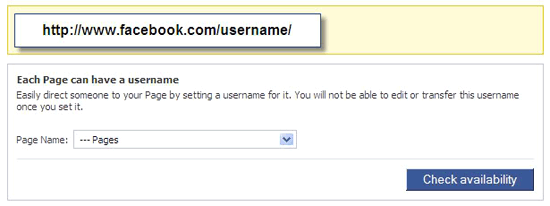
To change your Facebook Fan Page URL, go to http://www.facebook.com/username/
Using the drop down box, select the Fan Page you’d like to (re)name. You’ll need to check the availability of the name. After you’ve checked and created your name, click the save button and voila: your new, simplified Facebook Fan Page URL.
One last thing — Don’t forget to share your new name with your fans as well as in other correspondence you send out!